Re.corder
Companion app for a Kickstarter-backed electronic wind instrument: pairing, fingering lessons, songs to play along with, duets.
- Role
- Flutter developer in a small team: the interface, lessons, duets, profiles and the fingering editor
- Client
- Artinoise
- Period
- 2020–2024
- Platforms
- iOS and Android from one Flutter codebase
The product
Re.corder is a recorder full of sensors: touch pads on the holes, a breath-pressure sensor and an accelerometer. Over Bluetooth it is a MIDI controller, and the phone is where it sounds: the app turns what you finger and blow into music through its own synthesiser, in any of 38 instrument sounds.
The app is also where you learn it. A first run checks your fingers and your breath; songs play along with you while the score scrolls and every note is checked; two instruments can share one phone for duets; experience points and badges keep count. The settings rewrite the fingering table the instrument itself uses.
- 34%
- of the app’s commits are mine (398 of 1,155)
- 37k
- lines of Dart in the app, besides its Bluetooth and synth plugin
- 7
- languages in the interface
- 38
- instrument sounds the Re.corder can play
Walkthrough
The app, in motion
Pick a recording, or jump straight to a chapter.
Recorded from the app’s code at phone size, held sideways, with a virtual instrument playing. The sound is rendered afterwards from the notes the app sent to its synthesiser, with the free soundfont its own sound bank is based on.
What it does
An instrument that talks to the phone
01
Pairing, then a first lesson
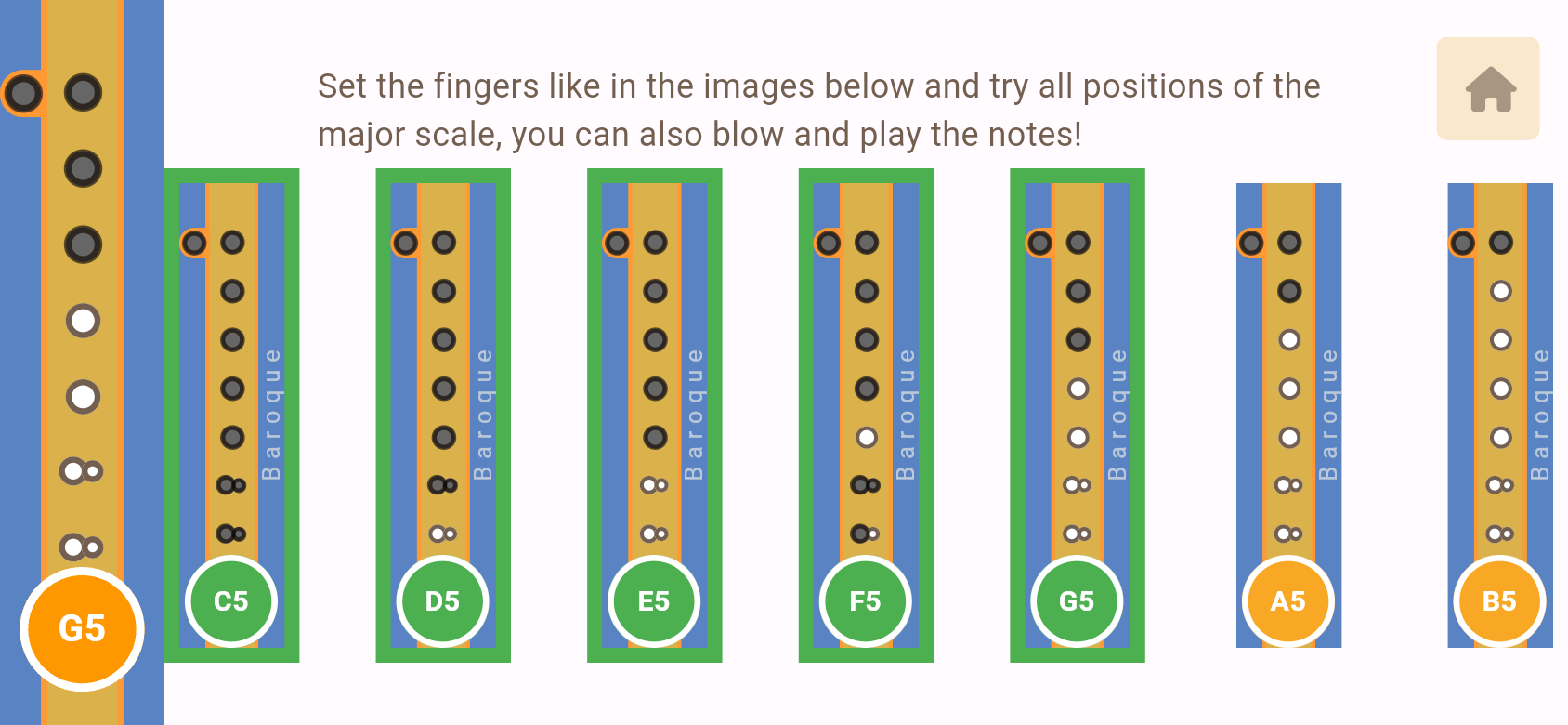
The Re.corder shows up as a Bluetooth MIDI device. The quick start pairs it, then reads its sensors while you follow along: each note of two scales turns green once the right holes are covered, and a gauge follows the breath pressure.
02
Songs to play along with
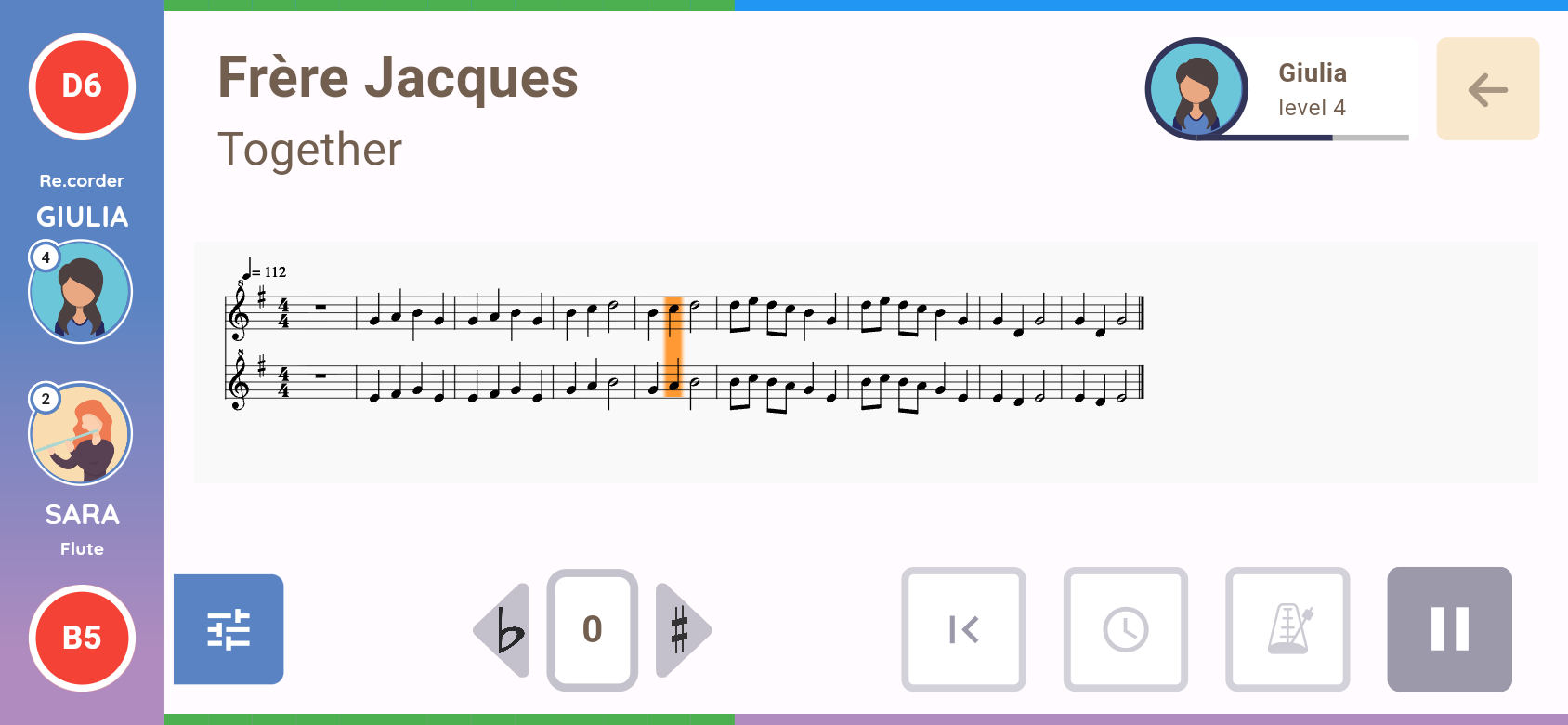
Pick a sound and a song. The backing track plays with your part silenced, the score follows the music, and the note you play is compared with the note under the cursor: green or red on the note name and on the progress bar, while the drawing of the recorder shows the fingering of the note to play. The end of the song turns into experience points and badges.
03
Two players, one phone
Two instruments connect to the same phone. Each player picks a sound and a part (against each other on the same tune, or together on tune and harmony), and the app scores both.
04
Fingerings you can rewrite
The instrument decides which note to play from a fingering table the app sends it. Baroque is the default; the settings hold tables for other instruments and custom ones, edited hole by hole on the drawing of the recorder the app uses everywhere; in the quick start the same drawing shows which holes the sensors feel covered.
05
Two looks, for children and adults
A cream-and-orange theme for children and a dark one for adult players, chosen at the first launch and switchable later. Exercises in the Learn section unlock as the player levels up.
Under the hood
How it was built
Bluetooth MIDI and the instrument’s protocol
The app keeps a Bluetooth LE connection per instrument and parses the BLE-MIDI it notifies: notes, breath as controller changes, program changes. Everything else (polling the sensors, sending fingering tables and settings) is a SysEx protocol with acknowledgements over the same characteristic.
Sound and score on the phone
Notes are played by FluidSynth, compiled into the Android build, from the free FluidR3 GM sound bank, modified with a recorder sound of its own; the backing track is a second synthesiser playing a MIDI file with the players’ parts silenced. The score is MusicXML drawn by OpenSheetMusicDisplay in a web view; the app polls the playback position to move its cursor and checks each played note against the one under it.
My part of it
Most of the interface in both themes; the drawing of the recorder and the fingering editor; the quick start; duet mode and friend profiles; experience, levels and badges; accounts and profiles synced with Firebase; news and video tutorials managed from Firebase; the privacy consent, data export and account deletion European users are owed; the internationalisation and the accessibility labels. The Bluetooth, SysEx and synthesiser layers were built by the rest of the team.
Recording a live app
A virtual recorder, and the sound put back
The app does little without the instrument, and its sound comes from native code a browser cannot run. So the recordings use a copy of the app’s code with the instrument simulated and the sound rendered after each take.
- 1
The app, built for the browser
A Flutter web build of the app’s code at phone size, held sideways and told it runs on Android. Firebase is replaced by the in-memory fakes of its testing libraries; a switch in the address loads a first launch or a returning player.
- 2
A virtual Re.corder
The Bluetooth plugin gets a web half that answers like the instrument: it advertises, pairs, exposes the MIDI service, answers the sensor polls and sends BLE-MIDI when it plays. During a song it plays its part in time, with breath and a little human timing; in lessons it is told what to play.
- 3
Songs arranged for the demo
The company’s arrangements stay out. A script writes a small library of public-domain tunes (the tune, a second part for duets, an accompaniment), both as the MIDI the app plays and as the MusicXML it draws.
- 4
Sound, rendered after the take
The browser build is silent: it logs every note the app’s two synthesisers would have played, with its time. After each take, the recorder renders that log with FluidSynth and the free FluidR3 GM soundfont (the one the app’s own bank starts from) and lays it under the video, in sync to the frame.
The logo, the interface and its illustrations are the app’s own. The songs, the players and their profiles are sample content made for this portfolio, and the sound is the standard FluidR3 GM soundfont, without the app’s modified recorder.
No demo to try here: Re.corder is a live product, so this page shows recordings on sample content.
Every screen
The full set of screenshots
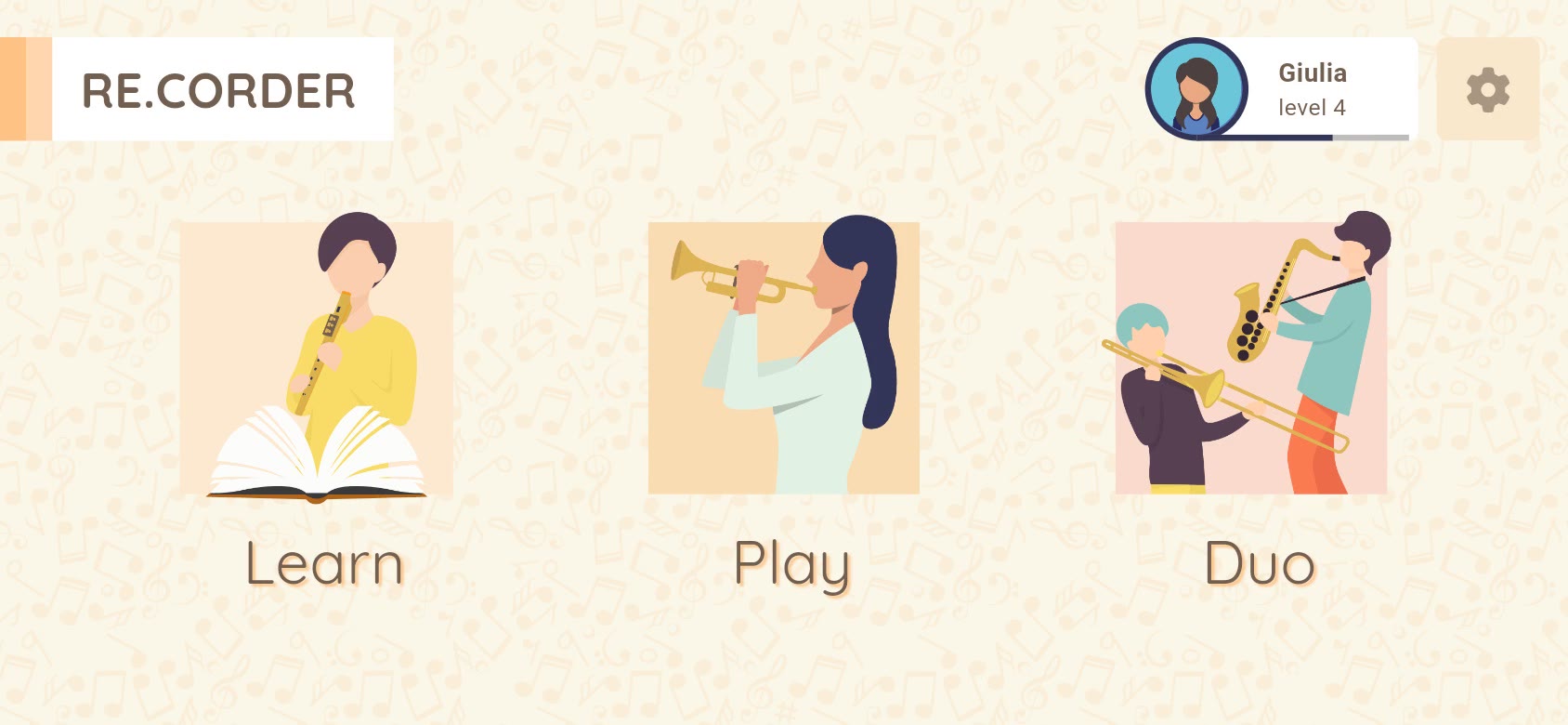
WelcomeFirst launch: the quick start begins with pairing. PairingThe Re.corder advertises as a Bluetooth MIDI device. Fingering lessonThe holes light up from the touch sensors; each note of the scale turns green once fingered. Breath lessonThe pressure sensor, read live while the player blows. HomeLearn with exercises, play songs, or play in pairs. Instrument soundsThe Re.corder plays any of the synth's sounds, from recorder to cello. SongsSongs by genre and difficulty (sample library in the demo). ScoreThe score, with the fingering of the note to play. Playing alongRight notes go green, on the note and on the progress bar. ResultExperience points and badges at the end of a song. A second instrumentDuo mode needs two Re.corders connected to the same phone. Duo modesAgainst, together, or free. A sound eachEach player picks a sound. A duetBoth parts on one score, each checked against its player. ResultBoth players earn experience. FingeringsBaroque by default; custom tables and other instruments' fingerings are sent to the Re.corder. SettingsThemes, quick start, and the instrument's MIDI settings. LearnExercises unlock with the player's level. Pro themeA dark theme for adult players, chosen at the first launch. Pro theme: scoreThe same screens, restyled.
Next case study
Indennizzo Diretto →